


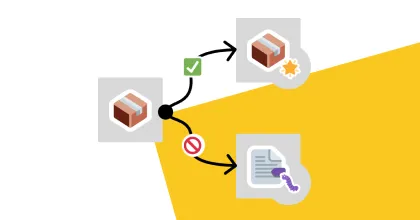
Great, your Nest.JS server that you’ve been testing on the DEV environment for a few weeks works perfectly. Just click a button to deploy it to PROD.
Except here’s the thing: you’re using code promotion and your DOCKER image in your pipeline is configured to node:latest. Last night the version was changed to v20 with all the wonderful breaking changes on the crypto dependency side.
Yet you had tested it so thoroughly…
What a shame — you could have just used the PACKAGE that was running fine in DEV and deployed it, WITHOUT CHANGING ANYTHING.
This scenario is far from isolated. Non-reproducible builds, dependencies that shift between environments, deployment times inflated by recompiling at every stage, compliance failures during audits because you can’t prove that the binary in prod is the one that was tested… All of these cost time, trust, and sometimes availability.
In this article, artifact refers to any build output: Docker image, JAR/WAR archive, JavaScript bundle, compiled binary, npm package, Helm chart… The promotion principle applies to all of them.
CI/CD Pipeline: two approaches
On my various projects, there are always at least two main categories of environments (DEV / PROD) and this can increase depending on needs (UAT, STAGING, PRE-PROD…).
Each team having its own inertia, the delay between each step can be counted in days.
So if I have to re-download my dependencies at each step, compile everything while crossing my fingers that the BUILD environment hasn’t changed, problems are bound to arise.
How I used to do it: code promotion
I pushed to a DEV branch, and off we went for INSTALL, BUILD, TESTS and DEPLOY to the DEV environment.
When we wanted to deploy to prod, a quick PR to move to a RELEASE branch (PROD for example), then off again for INSTALL, BUILD, TESTS and DEPLOY to the (PRE-)PROD environment.
In this approach, it’s the branch change policy that defines the type of artifact I create.
- When I push to DEV, it deploys to the DEV environment.
- When I push to PROD, it deploys to the PROD environment.
Advantages
- Easy to understand, branch name == environment
- Easy to version, the latest version on the branch that passes tests == the latest deployed version
- Quick to set up for a team with multiple people
Disadvantages
- The code may be identical, but nothing assures us that the compiled versions are. A DEV version can be different from PROD. Dependencies or the Docker image that did the build may be different.
- Longer to validate, and therefore to deploy. DEV tests will either have been skipped, or rerun for the same code (because different artifact).
Artifact promotion: deploying the SAME thing to DEV and PROD
I still keep a branch policy. But I decouple deployment from the act of pushing to a branch.
These are two distinct things. Pushing to a branch triggers the maximum level an artifact can reach.
- When I push to DEV, the built artifact won’t go further than the DEV environment
- When I tag a release version, the artifact will traverse all environments up to PROD
And how does it work?
- Push: a version is sent to my version manager
- Compilation & Packaging: to generate an optimal artifact, which we version.
A semantic approach (
Major.Minor.Patchfor example) is a minimum, and with a unique build identifier it’s even better (Major.Minor.Patch.Build)! If possible, adding suffixes to differentiate DEV / PROD versions (you have the choice:SNAPSHOT,RC… This part depends on the team’s organization.) - Static tests: we pass the entire static code analysis phase (quality, unit tests…) to not push what already doesn’t pass the first barrier
- Delivery and storage: the version is delivered to a DEV artifact manager (Nexus for example)
- Artifact audits: the CI test and audit steps retrieve the artifact and rely on it for testing
- DEV deployment: we retrieve the artifact and push it to the DEV environment
If the version is identified as “Release”, and it’s OK, we move to the next level!
- Promotion: the DEV artifact is promoted. It moves to PROD and is “sealed”: not possible to push a version with the same number or edit its content
- PRE-PROD environment deployment: each PRE-PROD environment retrieves the latest artifact and passes the various tests (migration, performance, acceptance…)
- Going to PROD: during the release
A critical regression bug encountered in PROD?
Just target a previous working version and launch the Rollback.
- Keep at least the 3 latest stable versions in your production registry
- Automate rollback in your pipeline: one click, not a manual process
- Test your rollback regularly — a rollback that has never been tested doesn’t work when you need it
(Of course, DB version management is a whole problem that we won’t address here. See the Expand-Contract pattern in our article on Blue-Green deployment and Java traps.)
Why separate DEV and PROD registries?
This allows better access rights management depending on teams.
We can apply different policies: for example, development artifacts can be deleted faster, while production ones must be kept longer to guarantee fast rollback.
Market tools
Artifact promotion relies on an artifact registry. Here are the main options:
| Tool | Artifact types | Hosting |
|---|---|---|
| Sonatype Nexus | Docker, Maven, npm, PyPI, NuGet… | Self-hosted / Cloud |
| JFrog Artifactory | Universal (all formats) | Self-hosted / Cloud |
| GitHub Packages | Docker, npm, Maven, NuGet, RubyGems | Cloud |
| GitLab Container Registry | Docker, generic packages | Cloud / Self-hosted |
| AWS ECR | Docker | Cloud (AWS) |
| Azure ACR | Docker, Helm, OCI | Cloud (Azure) |
| Google Artifact Registry | Docker, Maven, npm, Python, Go | Cloud (GCP) |
| Docker Hub | Docker | Cloud |
All these registries support the promotion principle. What counts is the pipeline discipline: an artifact built once, versioned, tested, then promoted. The tool is secondary.
Security and traceability
Artifact promotion isn’t just about reliability — it’s also a major lever for software supply chain security.
- Artifact signing: tools like cosign or Notary allow you to cryptographically sign each artifact. Only signed artifacts are authorized for promotion.
- SBOM (Software Bill of Materials): generated at build time, the SBOM is essential for meeting regulatory requirements (EU Cyber Resilience Act, NIST SSDF).
Think of it as a nutrition label, but for your software. The SBOM inventories all components embedded in an artifact: libraries, versions, licenses, transitive dependencies. When a vulnerability hits (like Log4Shell), it lets you identify in seconds whether you’re affected.
- Audit trail: each promotion leaves a trace — who promoted what, when, from which pipeline. In case of a security incident, this traceability is invaluable.
A signed + promoted artifact = verifiable proof that the binary in production is exactly the one that was built, tested and approved. This is the foundation of any serious supply chain security approach.
Advantages
-
Increased reliability — With artifact promotion, we know exactly what we’re deploying. Nothing to add, everything is there. An artifact that works at each test step will work the same way in production (subject to environment differences, but this should never happen… or almost).
-
Time savings on CI & CD side — We avoid the entire
BUILD & PACKAGEstep + reduction of certainTESTSandDELIVERsteps (artifact promotion can be done on the artifact manager side directly), which speeds up delivery cycles. -
Ease of audit — Each artifact is versioned and accessible, which simplifies external audits. Need to perform security, performance or accessibility benchmarks on a previous version? No problem! Everything is at hand.
-
Security and compliance — Cryptographic signing, SBOM, audit trail: artifact promotion provides the verifiable evidence you need for compliance and supply chain security.
Disadvantages
- Requires a well-identified release cycle within the team
- Implies specific tools like an artifact registry, well-designed pipelines and good flow discipline
In conclusion: how to choose?
Choose code promotion if:
- The project is young, the team small, the release cycle still emerging
- You don’t yet have an artifact registry or a mature pipeline
- Speed of setup matters more than reliability
Choose artifact promotion if:
- You’re in a
RUNphase and stability is critical - Multiple environments must be traversed (DEV → UAT → STAGING → PROD)
- You need fast and reliable rollbacks
- The team is mature enough to maintain a registry and a release flow
In a
RUNphase where stability prevails, I have much more confidence in artifact promotion. It’s the guarantee that what was tested is exactly what runs in production.
TL;DR
- Code promotion rebuilds at every environment — simple to set up, but no guarantee that the binary in PROD is the one tested in DEV
- Artifact promotion builds once, then promotes the same binary from DEV to PROD — reproducible and auditable
- Separate your registries for DEV and PROD to apply tailored retention and access policies
- Sign your artifacts and generate an SBOM to secure your supply chain
- The choice depends on maturity: code promotion to get started fast, artifact promotion as soon as stability becomes critical
CI/CD pipeline, promotion strategy, supply chain security: we help tech teams strengthen their delivery chain. Let’s talk.